
7 Visual Merchandising Tips for Fashion eCommerce Success
Explore essential visual merchandising tips to enhance your online fashion store, boost sales, and improve customer experience.


Visual merchandising can make or break your online fashion store. Here’s how you can create an engaging shopping experience and boost sales:
Quick Overview
Product Photography
Builds trust, lowers returns
Multi-angle shots, lifestyle images
Clear Product Pages
Boosts conversions
Strategic placement, white space
Category Structure
Simplifies navigation
Group by season, occasion, type
Customer Content
Adds social proof
Reviews, social media galleries
Personalization
Increases order value
Size guides, related product suggestions
Interactive Views
Reduces buyer hesitation
360° views, videos, virtual try-ons
Mobile Optimization
Reaches more customers
Fast loading, mobile-first design
Focus on these strategies to improve customer experience, increase sales, and make your brand stand out.
Tip 1: Master Product Photography
Great product photography is a must for fashion eCommerce. Did you know that 93% of shoppers focus on visual appeal, and decisions are often made in just a third of a second?.
Show Products From Every Angle
Showing your product from multiple perspectives helps build trust with potential buyers. Here's a breakdown of the key angles to include:
View Type
Purpose
Front View
Highlights main design features
Back View
Displays fit and construction details
Side Views
Shows depth and silhouette
Detail Shots
Focuses on texture and craftsmanship
On-Model Photos
Demonstrates fit and styling in context
"Use a light that shows the texture well and ensure even, top-to-bottom lighting. Make sure the perspective or shooting angle doesn't distort the product in the final image too much, especially in the total view. Also, get the colors right in post-production but avoid oversaturation."
– Marta Schuster, Photographer and Content Manager
For professional results, consider investing in quality gear. A solid setup might include a Nikon D850 DSLR camera (around $2,200) paired with a 105mm f/1.4 lens (starting at $1,800). Don’t forget essentials like a tripod, continuous lighting, and editing software such as Adobe Lightroom ($9.99/month) to ensure accurate color correction.
While detailed product shots are crucial, adding lifestyle images can help create a stronger emotional connection with your audience.
Add Context With Real-Life Photos
Lifestyle photography allows customers to imagine your products in their daily lives. Victoria's Secret is a great example of this approach. As Fashion Director Priscilla Polley puts it, "Styling tells the story of the company. Without it, you just have products. It's the part that actually makes the brand resonate with people".
To create compelling lifestyle images:
For a streamlined workflow, try tools like Claid.ai (starting at $19/month) or Photoroom ($12.99/month) to edit and maintain consistency across your catalog.
One standout example comes from International Fashion Academy Paris. They combined traditional photography with 3D AR formats to showcase adaptive fashion designs. This approach gave customers a full view of the products while keeping the emotional appeal of lifestyle shots intact.
Tip 2: Design Clear Product Pages
Did you know that 85% of shoppers say product details and images play a huge role in their buying decisions? That means your product pages need to deliver the right information in the right way.
Place Key Details Where They Matter
Strategic placement of content on your product pages can make a big difference. For instance, moving product descriptions higher on the page can increase conversions by 78%. Here's how to organize key elements:
Element
Position
Purpose
Top of page
Helps shoppers identify the product instantly
Above the fold, near CTA
Makes purchase decisions easier
Top third of page
Communicates value quickly
Near the CTA button
Builds trust and confidence
Near add-to-cart button
Reduces cart abandonment
"Each visitor that makes it to a product page represents the heavy lifting and money spent to get them there. The product page is not the time to squander that hard work. It's up to you to create a user experience that gives the visitor what they need to become a customer." – Jason Amunwa, former director of products, Telepathy
For fashion items with lots of color options, dropdown menus often work better than swatches. Why? Swatches can misrepresent fabric colors, leading to confusion.
Use Space to Improve Readability
Making your product pages easy to read is just as important. Adding white space can boost readability by 20%. To make text easier on the eyes, set line spacing to 130–150%, and group related elements together.
People love visuals - 91% of users prefer them over written content. To create effective product pages, use:
White space isn’t just about aesthetics. It helps guide customers through your page, making it easier for them to focus on what matters most. A clean, organized layout also strengthens your brand's image and makes the shopping experience smoother.
Tip 3: Structure Product Categories
Organizing your product categories effectively can make shopping on your fashion eCommerce site much smoother. When customers can easily find what they’re looking for, they’re more likely to make a purchase.
Align Categories with Shopping Habits
Start by thinking about how your customers shop. Many successful fashion retailers organize their products into categories like these:
Category Type
Purpose
Example Structure
Seasonal
Showcases current trends
Spring/Summer, Fall/Winter collections
Occasion
Matches specific needs
Work, Evening, Casual wear
Product Type
Simplifies browsing
Dresses, Tops, Bottoms, Accessories
Collection
Groups related items
New Arrivals, Bestsellers, Limited Edition
By structuring categories this way, shoppers can quickly find what they need and are more likely to explore your store further. To make this process even easier, consider automating category management.
Let Depict.ai Handle the Heavy Lifting

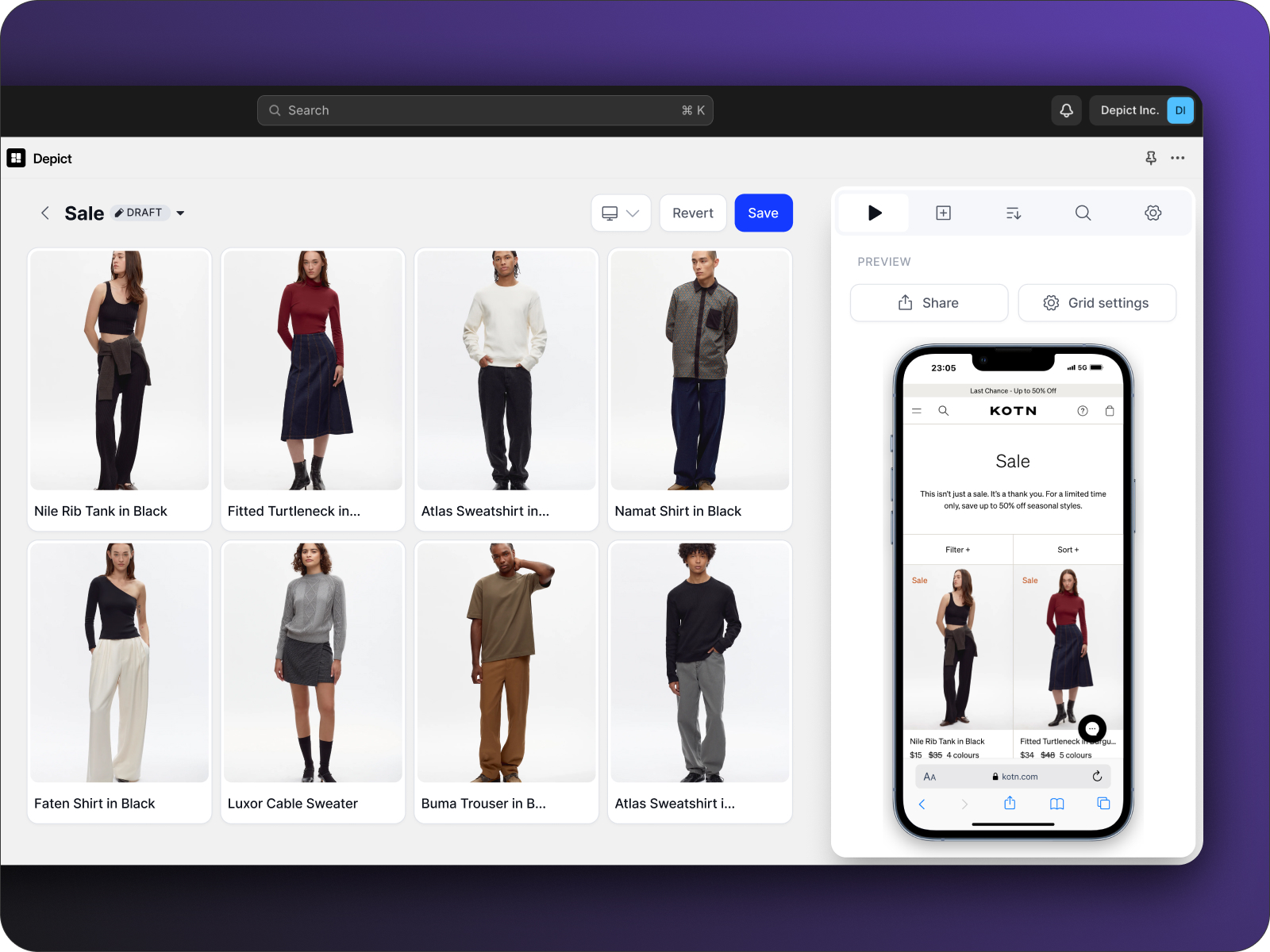
Manually managing product categories can be a hassle. That’s where automation tools like Depict.ai come in. Many fashion retailers have seen major time savings and improved workflows by using this platform.
"We're witnessing a substantial improvement in our workflow, tasks that used to take hours are now fully automated."
– Gabriela Gallner, Ecomm at
Depict.ai offers features that simplify category management, such as:
Lukas Jensen from Ilse Jacobsen highlights its impact:
"A game-changer compared to standard Shopify collections, we're operating at lightning speeds across 6 stores."
Retailers using Depict.ai have reported cutting merchandising time by 40%, improving product discovery, and boosting conversion rates.
sbb-itb-0f37a8d
Tip 4: Add Customer Content and Reviews
In fashion eCommerce, where customers can't try items before purchasing, building trust is critical. Customer reviews and user-generated content provide the reassurance shoppers need, helping to increase their confidence and ultimately drive more sales.
Display Customer Feedback
Reviews from other shoppers validate product quality and make potential buyers feel more secure in their decisions. In fact, products with reviews see a 270% higher conversion rate compared to those without them. To get the most out of customer feedback:
Review Strategy
Impact
Implementation Tips
85% of consumers find reviews older than three months less relevant
Automatically highlight the most recent reviews
Boosts conversion rates by 184%
Encourage customers to upload product photos
Builds trust and engagement
Respond quickly to both positive and negative feedback
67% of shoppers are willing to leave reviews when offered an incentive
Provide discounts or perks for verified reviews
For example, Villeroy & Boch saw a 275% jump in conversions among shoppers who interacted with their review galleries. Sabine Kaufmann, their Head of eCommerce Operations, explains:
"User-generated content is one of the most trustworthy types of content a brand could show to their customers"
Include Social Media Content
Social media content goes beyond traditional reviews, offering a more dynamic way to showcase your products. Many fashion retailers, like Isabella Oliver and Baukjen, use customer-generated social posts to create relatable and engaging shopping experiences.
Sophie Mattinson, Social Media Executive at Isabella Oliver, shares:
"We get feedback from people saying, 'I've seen this product on someone else, and then bought it because I have a similar body type or build like them'"
Here’s why social content works so well:
Samsonite is a great example - they achieved 4x higher conversion rates and a 254% revenue boost after adding social commerce galleries. Tools like Yotpo and Loox make it easy to integrate customer photos and reviews, adding an authentic touch to your online store.
Tip 5: Customize Shopping for Each Customer
Personalization is a game-changer in fashion eCommerce, driving a 40% increase in revenue while improving conversion rates and customer satisfaction.
Show Related Products
Smart recommendations can make customers 4.5 times more likely to buy. Here's how top brands use personalized suggestions effectively:
Personalization Type
Impact
Example Implementation
Visual Similarity
130% revenue boost
Show items with matching colors or styles
Cross-selling
Up to 31% of site revenue
Suggest "complete the look" items
Location-based
Better engagement
Display local currency and delivery options
Behavioral
5-8% revenue lift
Recommend items based on browsing history
The North Face is a great example of personalization done right. They group customers into lifestyle categories like "explorer", "traveler", and "hiker", ensuring tailored product suggestions. Their Head of Digital emphasizes:
"Personalization isn't just something consumers want, it's something they demand."
This approach not only helps shoppers discover relevant products but also ensures they find the perfect fit, enhancing their overall experience.
Optimize Sizing Guidance
Accurate sizing tools can significantly boost conversions and minimize returns. Nudie Jeans, for instance, partnered with Virtusize for virtual fitting, resulting in a 10% increase in conversion rates.
Here’s how top sizing tools perform:
Labfresh co-founder Kasper Brandi Petersen shares their experience:
"We improve everyday clothing by using the latest innovations in textile technology. Our mission is to make your life easier, fight overconsumption and reduce waste. Easysize helps us take a step closer to these goals by making it much easier for customers to choose the right size, wear the items for longer and be more satisfied with their purchase."
Returns come with an environmental cost - each one adds over 200g of CO2 emissions. By helping customers get their sizing right the first time, retailers can cut their carbon footprint while keeping shoppers happy.
To enhance personalization, consider these strategies:
Tip 6: Add Interactive Product Views
Interactive tools can make online shopping feel more tactile, and they’re a big deal for customers - 91% of consumers appreciate 360° views when shopping online. These tools combine visuals with functionality to create a richer online shopping experience.
Include 360° Product Rotation
Adding 360° product views can build customer trust and boost sales. For example, Zalando saw a 30% jump in conversion rates after introducing 360° views, while ASOS managed to cut returns by 20% for items using spin videos.
Here’s what you’ll need to create 360° views:
For an even better experience, consider adding product videos.
Create Product Videos
Videos are a powerful tool for driving product sales. Brands like Lumene and Outnorth have seen increased views and better conversion rates thanks to product videos. Mike's Bikes also reported a 30% drop in exit rates after adding videos.
"People still want to see very real reviews of your products. They want to see how they hold up in real-world conditions." – William Harris, Ecommerce Consultant at Elumynt
To take things a step further, virtual try-on options can help customers engage with products in a more personalized way.
Add Virtual Try-On Options
Virtual try-on technology is a game-changer. It can increase add-to-cart rates by 1,000%, boost sales by 300%, and reduce returns by 30%. Boca Rosa leveraged this tech to achieve $900,000 in sales during a four-hour pre-launch event, with 1.7 million virtual try-on sessions.
Here are some Shopify-compatible virtual try-on tools:
"Banuba Face AR SDK simplifies the development of our Try-On feature big time. This feature keeps us just 10 cm apart from our customers at all times." – Puja Wardani, Associate Vice President at Looké Cosmetics
Tip 7: Make Mobile Shopping Easy
Mobile shopping now accounts for nearly 73% of global retail ecommerce sales. For fashion retailers, ensuring a smooth mobile experience isn't just a good idea - it's a must.
Focus on Mobile-First Product Pages
Design your product pages with mobile users in mind first. Start with smaller screens and scale up to larger ones. iHeartRaves took this approach and saw great results. Their CEO, Brian Lim, shared:
"Along with our customer's photo wearing their purchases, we made sure all of our product images and descriptions fit on the mobile screen without any horizontal scrolling"
Here are some key elements to include for mobile-friendly product pages:
Element
Specification
Purpose
Button Size
At least 45px wide
Easy to tap with fingers
Font Size
Minimum 16px
Clear and readable text
Image Weight
Around 200KB
Faster loading times
Layout
Vertical stacking
Smooth scrolling
Inyouths applied these principles, creating a clean and user-friendly design that worked across all devices. This approach improved their mobile conversions and overall revenue.
Once your mobile layout is optimized, focus on speeding up your site. This ensures a fast, seamless experience for users and ties in with earlier strategies to enhance usability across devices.
Boost Mobile Performance
Did you know that 53% of shoppers leave a site if it takes too long to load? Many fashion sites still struggle with this issue. For instance, Forever 21 has lost potential sales due to unoptimized images.
Loopex Digital saw impressive results after improving mobile performance. According to co-founder Maria Harutyunyan:
"We saw a jump in our client's overall conversion rate by 40% over the previous year after implementing these changes"
Here’s how you can improve your mobile speed:
David Zhang, CEO of Kate Backdrop, emphasizes the importance of mobile optimization:
"The best advice I can offer to other ecommerce merchants is not to neglect the mobile experience. Neglecting it can significantly impact sales, so make sure your website is optimized for desktop and mobile devices. Be mobile-first."
Keep in mind that Google now uses mobile versions of websites as the primary factor in search rankings. So, optimizing for mobile not only boosts sales but also improves your visibility in search results.
Conclusion: Next Steps for Your Online Store
Key Strategies at a Glance
Here’s how you can improve product presentation and customer experience:
Builds trust, lowers returns
Use multi-angle shots, lifestyle images
Boosts conversions
Place key info strategically
Simplifies navigation
Organize based on customer behavior
Adds social proof
Include reviews, social media links
Increases order value
Add size guides, suggest related items
Reduces buyer hesitation
Use 360° views, product videos
Reaches more customers
Prioritize speed, mobile-first design
These strategies work together to create a well-rounded approach to visual merchandising, improving both usability and sales potential.
Simplify with Depict.ai
Take the hassle out of implementing these strategies by using automation tools. Depict.ai makes it easier for fashion brands to execute these visual merchandising techniques across their online stores.
Here’s how to get started:
You can begin with Depict.ai's Basic plan for just $50 per store each month. This plan includes tools like custom grid creation, automated sorting, and collection analytics, supporting up to 25,000 sessions per month. It’s a great way to efficiently implement these strategies and see results.