
Common Product Grid Issues and How to Fix Them
Learn how to fix common product grid issues that can hinder sales, including layout problems, image quality, and mobile responsiveness.

Alex works with Product and Growth at Depict, a visual merchandising app built for Shopify brands. With years of experience helping hundreds of fashion, furniture, and lifestyle stores stand out online, they write about the intersection of design, conversion, and commerce.

Your product grid could be losing you sales. Poor layouts, low-quality images, and slow load times frustrate customers and increase abandonment rates. Fixing these issues can boost conversions by up to 4x. Here’s what you need to knowStart by improving your grid design today - no coding needed - and watch your sales grow.
5 Common Product Grid Problems
Fixing these problems can help you get the most out of your Shopify or Centra tools for better visual merchandising. Product grid issues can hurt sales and drive customers away. Here are five key problems that could be holding your grid back.
Uneven Grid Layouts
Inconsistent product layouts can make your store look unprofessional and reduce customer confidence. Without proper styling, products often default to a vertical arrangement. This is especially common in stores with product images of varying dimensions.
Low-Quality Product Images
Bad product photos can seriously hurt your sales. In fact, high-quality images lead to a 94% higher conversion rate compared to low-quality ones. Check out these stats:
Poor Mobile Display
Many stores struggle with mobile responsiveness, leading to images being cropped or distorted. This is a common issue for stores using themes like Dawn.
"Regardless of what I select (Adapt to Image, Portrait, or Square), the image stays as a rectangle." - Rampz, Tourist
Slow Loading Grids
Heavy, unoptimized images can make product grids painfully slow to load, especially on mobile devices. Customers won’t stick around if they’re waiting too long. The trick is finding the right balance between image quality and load speed.
Basic Sort and Filter Options
Simple sorting tools like price or alphabetical order often aren’t enough. Without more advanced filters - like style tags, size, color, or material - customers are left scrolling endlessly. This can lead to frustration, abandoned sessions, and missed sales opportunities.
How to Fix Product Grid Issues
Fix Grid Layout Issues
If you're using the Dawn theme, set a consistent image ratio (like Portrait or Square) through the theme settings. For more precise adjustments, try Depict's Custom Grid Builder to align dimensions without cropping. After that, focus on upgrading your product images to improve conversions.
Improve Image Quality
Polish your product photos with these AI-powered techniques:
"Using Claid API, we've basically taken a shortcut. We don't have to worry about image quality. So we've solved a common problem we faced with user-generated content." - Ido Grosberg from Mixtiles
These steps not only make your images look better but also improve how they display on mobile devices.
Make Grids Work on Mobile
To ensure your grids perform well on mobile, adjust image size and resolution with these tips:
Speed Up Grid Loading
Boost your grid's loading speed by following these steps:
Using Depict to Fix Grid Problems

Depict offers tools to tackle grid layout issues, improving design, sorting, and overall performance.
Build Better Grid Layouts
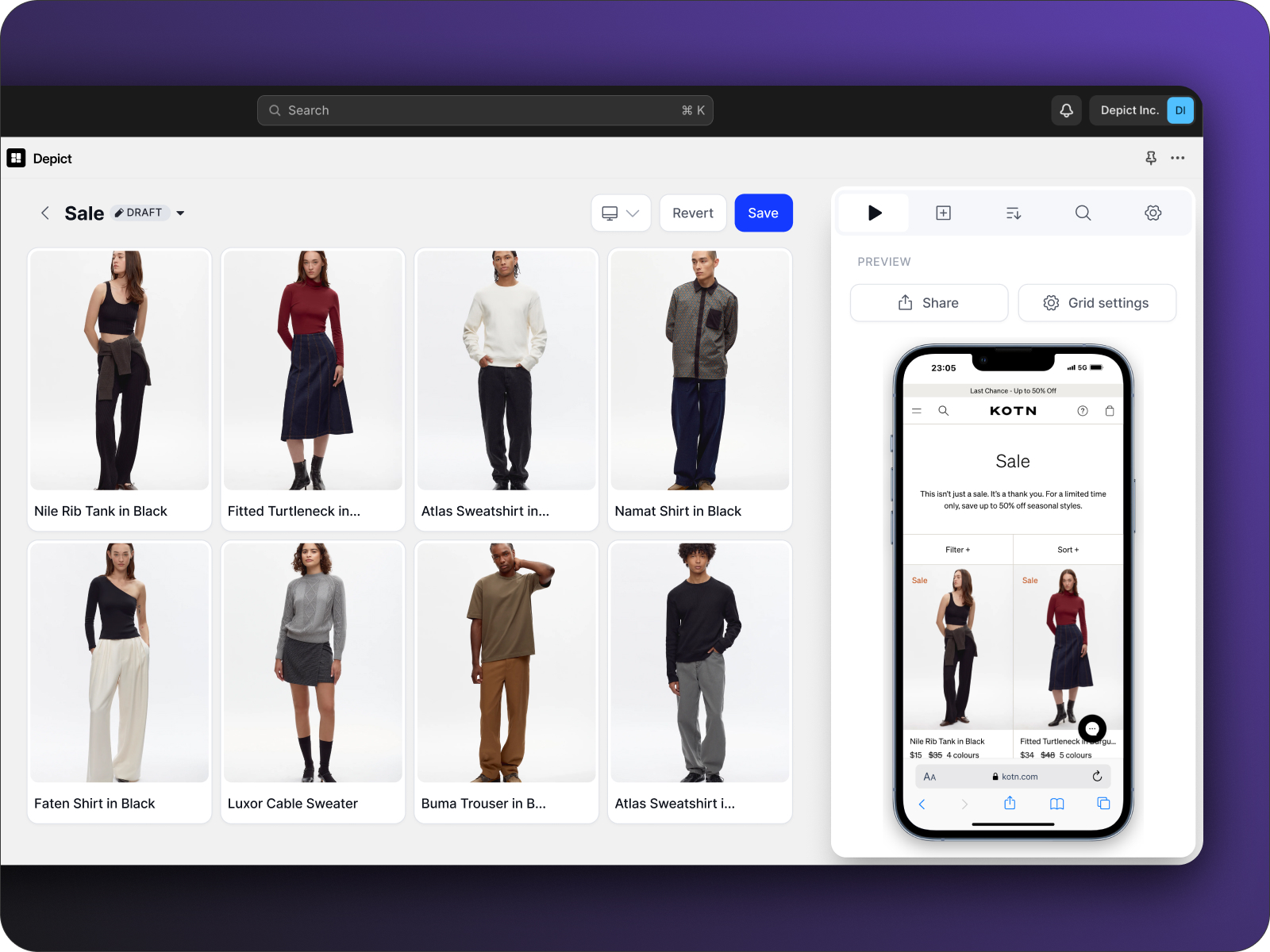
Depict's Custom Grid Builder lets you create professional layouts without any coding. With just one click, you can design visually appealing collections that drive conversions. You can also handpick and arrange products to maintain a clean and polished grid.
Visual Grid Builder
Drag and drop products to design layouts
Multi-store Support
Keep grids consistent across different stores
Custom Supergrids
Tailor layouts to match your brand’s identity
Live Preview
See updates in real-time before publishing
Once your layout is ready, enhance it further with smart sorting tools.
Set Up Smart Product Sorting
Depict uses AI-powered automation paired with manual controls to optimize how products are arranged. With real-time data, you can:
"We're witnessing a substantial improvement in our workflow, tasks that used to take hours are now fully automated." - Gabriela Gallner, Ecomm at Kotn
Fashion brand Ilse Jacobsen saw faster merchandising across their six stores after adopting Depict's sorting tools. The combination of automated rules and manual adjustments gives merchants full control over their product displays.
After sorting, track the impact of your changes with Depict's analytics.
Track Grid Performance
Depict's analytics tools help you monitor how your grids perform. By analyzing past purchase data and anonymized user interactions, you can identify:
For example, Soulland Webshop improved their collections by blending campaigns with user-generated content. Their success shows how Depict’s tracking features can guide smarter merchandising strategies and boost engagement.
Next Steps for Better Product Grids
Now that you’re familiar with common grid challenges and how to address them, let’s talk about your next move with Depict. With its native integrations for Shopify and Centra, you can improve your product grids effortlessly - no coding skills needed. Want proof? Check out how top brands are making the most of these tools below.
Here’s how brands are achieving success with Depict:
Ilse Jacobsen
Streamlined operations across 6 stores
Kotn
Fully automated merchandising workflow
Revamped shop page for better sales focus
By pairing these strategies with performance tracking, DFS, a UK-based sofa retailer, reduced its bounce rate by 9%. This shows how data-focused merchandising can boost customer engagement.
Depict’s Basic plan starts at $50 per store/month, giving you access to unlimited collections and custom grid-building tools. Need more? Upgrade to unlock features like multi-store management and scheduled merchandising.
– Hanny Eldblom, Head of Ecommerce