
Product Collection Layout Checklist for Fashion Brands
Learn how to optimize your fashion brand's product collection layout to improve sales, enhance user experience, and streamline navigation.

Jakob, probably one of the most remarkable Webflow developers that has ever lived, created this stunning blog post and the highly engineered CMS in the background.
A well-designed product collection layout can directly impact sales, with conversion rates varying widely across fashion categories: 7.4% for accessories, 3.6% for women's fashion, and just 0.8% for menswear. Poor layouts lead to abandonment rates as high as 90%, while clear navigation and smart tools can significantly improve user experience and sales.
Key Takeaways:
- Set Goals: Define clear visual merchandising goals aligned with your brand identity.
- Create a Style Guide: Maintain consistency in colors, typography, and photo standards.
- Organize Categories: Use clear product categories and add filters like size, color, and price.
- Optimize Photos: Use uniform product images and add on-model photos for context.
- Leverage Tools: Automate sorting and add AI-driven recommendations to boost conversions.
- Mobile Optimization: Simplify navigation and speed up page loading for mobile users.
Quick Wins:
- Use AI tools to auto-sort collections and highlight best-sellers.
- Add filters and search options to improve navigation.
- Optimize for mobile to reduce bounce rates.
These strategies can cut merchandising time by 40%, improve conversions by 4x, and increase average order value by 26%. Start implementing today to see measurable results.
How To Create Collections on Shopify Store
Set Your Visual Merchandising Goals
Define clear goals for your visual merchandising to align with your brand identity and audience preferences. These goals will help you boost sales and create a lasting impression.
Create Your Brand Style Guide
A brand style guide is essential for maintaining consistency across all visual elements. It outlines the key details that define your brand's look and feel.
Here’s what to include:
- Visual Elements: Specify your color palette, typography, and rules for logo usage.
- Photography Guidelines: Outline how product photos should look, including lighting, angles, and model positioning.
- Layout Standards: Provide rules for grid systems, spacing, and how products should be arranged.
Top brands rely on consistent guidelines to stand out. For example, Hermès ensures its iconic orange is present across all platforms through strict color codes. Similarly, Zara’s photography style - featuring neutral backgrounds and natural lighting - creates a look that’s instantly recognizable.
Once your style guide is in place, schedule regular updates to your collections to keep things fresh and engaging.
Schedule Collection Updates
With your visual standards set, it’s time to plan regular collection updates. These updates keep your store aligned with seasonal trends and customer expectations.
Here’s a sample timeline for seasonal collections:
Collection TypeTypical TimelineKey FocusSpring/SummerDecember – MayLight fabrics, bright colorsPre-FallJune – AugustTransitional piecesFall/WinterSeptember – NovemberWarm materials, layeringResort/CruiseNovember – JanuaryHoliday and vacation wear
To make these updates impactful:
- Plan Ahead: Collaborate with your team and suppliers to create a detailed calendar.
- Use Data: Review past sales to guide your collection decisions.
- Stay Flexible: Consider adopting a "see now, buy now" model for trending items.
A centralized team that oversees collection planning can effectively balance creative ideas with business objectives. For instance, in 2017, brands using this approach saw an 8.2% revenue increase, compared to 3.5% for traditional retailers. Companies like H&M and Zara excel at this by making quick decisions and managing their own retail channels.
Build Easy-to-Use Collection Navigation
Clear navigation is key to helping customers find what they need quickly. Studies show that improving product navigation can lower abandonment rates from 67–90% to just 17–33%.
Set Up Product Categories
Organizing your products into clear categories makes browsing easier. Here's a breakdown:
Category LevelExamplePurposeParent CategoryClothingMain product groupSecondary CategoryWomen's ClothingGender/departmentTertiary CategoryWomen's TopsSpecific product typeCollection TagsNew Arrivals, Best SellersSpecial groupings
Some tips for creating effective categories:
- Use simple, familiar names that resonate with customers.
- Limit category depth to 2–3 levels to keep navigation straightforward.
- Highlight featured categories in your main menu.
- Add SEO-friendly descriptions to category pages.
- Use high-quality banner images to make category pages visually appealing.
Pay attention to search trends. For example, if "summer dresses" or "workout tops" are popular terms, create dedicated categories for them.
Add Search Filters
Filters make it easier for shoppers to narrow down choices. Data shows that visitors who use site search are 80% more likely to make a purchase, while 76% will leave if their search fails.
Helpful filters to include:
- Size and fit
- Color options
- Price ranges
- Material or fabric
- Style or occasion
- Brand (especially useful for multi-brand stores)
"Product filters help visitors quickly sort through your product collection to zone in on products they need." - TheGood.com
A great example is Fully, a DTC brand that revamped its filtering system in 2020. By refining categories and adding material filters, they saw a 5.97% increase in conversion rates across desktop and mobile.
Best practices for filters:
- Make it easy to add or remove filters.
- Allow shoppers to select multiple options within the same filter type.
- Show the number of products available for each filter option.
- Update results instantly as filters are applied.
- Ensure filters work well on mobile devices.
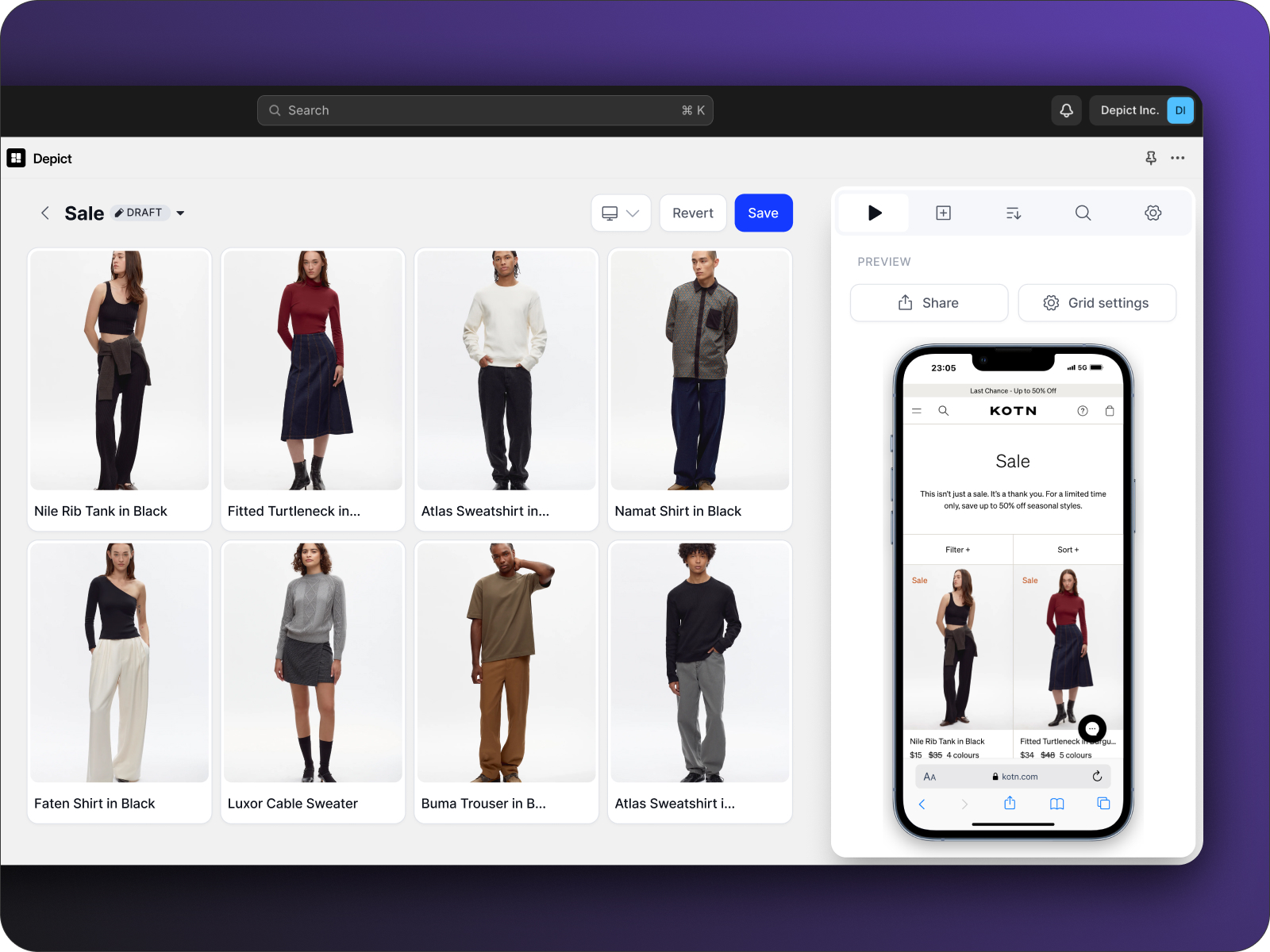
Platforms like Depict offer tools like a custom grid builder, allowing fashion brands to create user-friendly category layouts and smart filtering systems without needing coding skills. Automated sorting features also help keep collections organized as inventory changes.
sbb-itb-0f37a8d
Improve Product Presentation
Make your product collection stand out by displaying items in a consistent and engaging way. Studies reveal that 75% of online shoppers depend on product images when deciding what to buy.
Standardize Product Photos
Uniform product photos create a polished and professional look for your collection. Two common issues in e-commerce are inconsistent image sizes and poor alignment.
Here’s a quick guide to photo standards:
ElementSpecificationPurposeImage SizeConsistent dimensionsCreates a clean, polished lookBackgroundNeutral and cleanKeeps focus on the productAlignmentStandardized pointsEnsures visual consistencyCroppingUniform spacingBalances the layout
To achieve this, develop an alignment template that includes:
- Clear guidelines for positioning products
- Defined spacing around items
- Key alignment points (e.g., neck, hips, arms)
- File size requirements
Adding on-model photos to your collection can further elevate its appeal.
Add Context with Model Photos
Photos featuring models wearing your products can help customers visualize how items will look in real life. For example, a luxury fashion brand using AI-powered on-model imagery saw:
- 157% higher conversion rates
- 40% more engagement
- 5x faster image production
- 75% reduction in costs
"Nowadays, it is more and more popular to have a marketing image of your brand that resonates with your target audience. User-generated content becomes more important than professional campaigns because consumers want to see how the brand's items will look on a daily basis, and people like themselves. Since my brand has been on the market for 5+ years, I know who my audience is, what size they mostly buy, etc. SO WHEN I CHOOSE A MODEL, I USUALLY SEARCH FOR ONE THAT MAY LOOK LIKE MY CUSTOMER."
Want to take it a step further? Offer multiple ways to view your products.
Include Product View Options
Give customers a closer look with features like:
- 360° views and zoom tools for detailed inspection
- AR Try-ons: Virtual fitting tools like Vestico provide:
- 10x higher likelihood of purchase
- 17% fewer returns
- 32% increase in average order value
"Vestico helps us achieve a higher level of transparency with our customers by showing our collections on different body types. My favourite thing about Vestico is its message of promoting a more inclusive and diverse fashion landscape."
– Clio Peppiatt, Designer & Founder
Platforms such as Depict.ai also offer tools to create custom product grids, making it easy to showcase these view options. These optimized visuals can help fashion brands turn browsing into buying.
Use Smart Tools for Better Results
Once your product visuals are polished, automation can take your merchandising to the next level. Smart tools not only simplify collection management but also help drive sales. In fact, personalized product recommendations can account for up to 31% of an ecommerce site's revenue.
Set Up Auto-Sorting
Auto-sorting tools keep your collections dynamic and high-performing without constant manual intervention. Here's how they can help:
FeatureBenefitImpactBest-seller PrioritizationAutomatically moves top products to the frontIncreases visibility of popular itemsStock Level ManagementPushes out-of-stock items to lower positionsMinimizes customer frustrationTag-based OrganizationSorts products using custom rules and tagsKeeps merchandising consistentMulti-store SyncEnsures uniformity across multiple storesSimplifies operations
A great example is Ilse Jacobsen, a fashion brand that uses Depict AI's auto-sorting tools across six stores. Lukas Jensen, their ecommerce manager, explains: "Surpassing standard Shopify collections, we're operating at high speeds across 6 stores". These automated tools not only save time but also ensure your visual standards stay consistent across all platforms.
Add Product Recommendations
AI-driven product recommendations are a powerful way to boost revenue. Here's what the data shows:
- 2x higher click-through rates for personalized recommendations
- 26% higher average order value with AI-powered suggestions
- 4x increase in conversion rates when shoppers interact with recommended products
For example, premium jewelry brand Manssion saw an 18.65% increase in average order value by adding a "You may also like" widget to their cart page.
"People aren't going into brick-and-mortar stores and physically buying things like they used to. Therefore, businesses need to invest in their online properties to continue to capture that market and capture every sale." – Matt Smith, CEO at Webtrends Optimize
Combining auto-sorting with personalized recommendations can transform your operations. Fashion retailer
saw major improvements after adopting these tools. Gabriela Gallner, their ecommerce team member, shares: "We're witnessing a substantial improvement in our workflow, tasks that used to take hours are now fully automated".
Make Collections Work on All Devices
Optimizing your site for mobile users is a must for fashion brands. With 33% of mobile sites making it too hard for users to browse product catalogs, you need to ensure your collections perform well on any device.
Build Mobile-First Navigation
Mobile users want quick and easy access to your product catalog. Complicated menus can frustrate shoppers, so it's important to simplify navigation. Here's how you can structure it effectively:
Navigation ElementDesktopMobile OptimizationProduct CategoriesMega-dropdownsDisplay as top-level itemsSecondary LinksHeader menuPlace in a clear secondary areaSearch & FiltersSidebarUse collapsible panelsPopular CategoriesMenu itemsDefault display with "More" option
Edward Scott, Research Lead at Baymard Institute, explains: "Mobile users rely on the main navigation to understand the product catalog and zero in on products". Avoid hiding categories under vague labels or creating menus that are too complex.
To improve navigation for mobile users:
- Keep categories visible as top-level items.
- Use collapsible panels for filters to save space.
- Ensure buttons and links are large enough for easy tapping.
Once your navigation is user-friendly, the next step is to make sure your pages load quickly.
Speed Up Page Loading
A fast-loading site is key to keeping users engaged. Chrome's Responsive Design Mode can help you spot performance issues on different devices. Focus on these areas to boost loading speed:
Speed ElementImpactImplementationImage OptimizationCompress and lazy load imagesReduce file sizes and load timesCode EfficiencyRemove unused CSS/JSStreamline your codebaseContent PriorityPrioritize essential contentLoad critical content firstCache ManagementConfigure browser cachingImprove repeat load times
"Chrome's Responsive Design Mode allows you to simulate websites on different device screen sizes, orientations, and pixel densities (DPR). This lets you identify how your website adapts visually and interactively, ensuring an optimal user experience for all devices."
– Kitakabee, BrowserStack
Luke Wroblewski's advice is spot-on: "As a general rule, content takes precedence over navigation on mobile." Keep navigation compact and focus on displaying product images and key details.
For thorough testing, use tools like BrowserStack to see how your collections look and function on real devices.
Conclusion: Next Steps for Your Store
Take action now to improve your store's efficiency and boost sales. Start by using automated merchandising tools to streamline how you manage collections.
Implementation PhaseKey ActionsExpected ImpactInitial SetupInstall collection management toolsCut merchandising time by 40% OptimizationSet up AI-driven sortingBetter product discovery and higher conversionsMonitoringTrack performance metricsIncrease AOV by up to 30%
Top brands are already benefiting from automated merchandising tools. Here's how you can focus on three critical areas for improvement:
- Smart SortingAutomate product organization with tools like Dynasort or Entaice. These tools sort items based on factors like sales trends, inventory levels, and customer preferences.
- Visual MerchandisingAI-powered solutions can take your visual merchandising to the next level. For instance, Boston General Store shared how Entaice helped them:
"Entaice's AI-based collection sort has made a huge impact on our merchandising capabilities, allowing our top-converting products to achieve their maximum potential and facilitating discovery on our website. It has also saved us a considerable amount of time as we no longer have to manually categorize the thousands of products in our online store throughout multiple collections."